Advertisement
Tuning optimizers can feel more like guesswork than engineering. Adam is the go-to optimizer for many PyTorch users because it performs well with minimal setup. You'll find it used across tasks from text classification to image recognition. But using it with default settings without understanding what's happening behind the scenes means leaving performance on the table. Suppose you've written torch.optim.Adam(model.parameters()) and moved on, it's worth learning how Adam works and how to adjust it for better results.
Adam stands for Adaptive Moment Estimation. It builds on ideas from momentum and RMSprop. During training, the averages of the gradients and their squares are kept running. These averages adapt as training progresses, helping to smooth updates and stabilize learning.
What makes Adam different is that it scales learning rates individually for each parameter. If one weight sees noisy gradients, Adam adjusts more carefully. If another weight has steady gradients, it adapts faster. This makes it well-suited for problems with sparse or unstable gradients like those often seen in language models or deep nets.
In PyTorch, Adam is straightforward to implement:
optimizer = torch.optim.Adam(model.parameters(), lr=0.001)
That one line starts a process that tracks and adjusts gradient history across the entire model. It smooths weight updates and often converges faster than SGD. Because it adapts to the structure of the gradients, it often needs less manual tuning—though not none.
Adam exposes four main parameters you can change: lr, betas, eps, and weight_decay. Each affects how training behaves.
Start with the learning rate. The default is 0.001, which works fine for many NLP and simple image models. For deeper or more sensitive networks, 0.0001 or 0.00001 can be better. A good first step is to try small changes to this value and see how loss curves respond.

The betas control how much history the optimizer remembers. They're a tuple: (beta1, beta2). The first, typically 0.9, governs the momentum of the gradient—how much the optimizer smooths past updates. If training is unstable or very noisy, lowering beta1 slightly might help. The second, usually 0.999, controls how fast it adapts to the gradient's variance. Lowering beta2 to 0.99 can sometimes help with a faster response to gradient shifts, especially in unstable training.
eps is a small constant to prevent division by zero. It’s usually left at 1e-8, but in networks with very small gradients, such as some transformer models, raising it to 1e-6 can improve stability. This usually doesn't need to change unless you're seeing strange fluctuations in the early epochs.
Then there’s weight_decay. In PyTorch, this acts as L2 regularization, which discourages large weights and can help reduce overfitting. A value like 0.01 can be useful, but remember that weight decay interacts differently with Adam than with SGD. If you want better behavior with weight regularization, consider switching to AdamW, a variation that decouples weight decay from adaptive updates.
Here’s how you might configure Adam in PyTorch with custom settings:
optimizer = torch.optim.Adam(
model.parameters(),
lr=0.0005,
betas=(0.9, 0.98),
eps=1e-6,
weight_decay=0.01
)
Start with the defaults and watch how loss changes. If the training loss plateaus or bounces around, reduce the learning rate. If overfitting appears early, weight decay will slightly increase. If training is unusually slow, tweak the betas to make the optimizer more responsive.
Combine Adam with a scheduler. For example, ReduceLROnPlateau lowers the learning rate when validation loss stops improving. StepLR drops the rate at fixed intervals. CosineAnnealingLR smoothly decays it over time. Using a scheduler with Adam often improves generalization and prevents early convergence to poor minima.
Only change one thing at a time. If training is too noisy, try changing beta2 first. If it’s slow but stable, experiment with lr. When unsure, log your experiments. Use tools like TensorBoard to track how loss and learning rates behave during training.
Another option is learning rate warmup — starting with a low rate and increasing it during the first few epochs. This is common in transformer-based networks and helps prevent early instability. PyTorch doesn't have this built-in, but you can set it manually or use schedulers from libraries like transformers.
Batch size also plays a role. With small batches, gradients are noisier. You may need a lower learning rate and possibly different betas. Large batches allow for more aggressive learning but require more regularization. Always match your optimizer settings to your model and dataset rather than copying values from other projects.
Despite its flexibility, Adam isn’t always the best choice. On some tasks, particularly in computer vision, SGD with momentum gives better generalization. If training looks perfect but validation accuracy stays low, try switching optimizers before assuming the model or data is flawed.
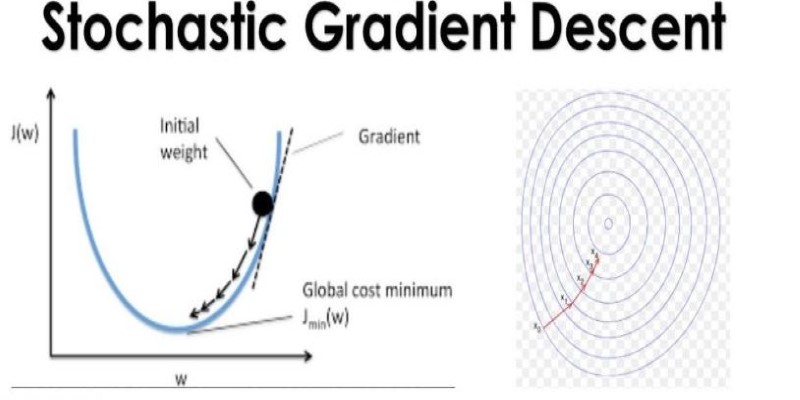
AdamW is a drop-in alternative that handles weight decay more effectively. In many transformer-based models, it's now the default choice. It behaves more like SGD regarding regularization but maintains Adam's adaptiveness. In PyTorch, you can use it with:
optimizer = torch.optim.AdamW(model.parameters(), lr=0.0005)
If your model does well during training but performs poorly on new data, switching to AdamW or tweaking weight decay is often more effective than adjusting the learning rate alone.
Also, don’t overlook reproducibility. Adam’s behavior depends on random initialization and data order. To make experiments consistent, fix random seeds and ensure determinism where possible. This helps you evaluate the impact of parameter changes without noise from randomness.
Logging and experiment tracking can save hours of guesswork. If you’re adjusting settings manually, use simple tools like CSV logs or advanced options like Weights & Biases to record your runs. This helps you avoid repeating failed setups and speeds up debugging when training goes off the rails.
Adam is popular for a reason: it adapts, it's stable, and it works with minimal fuss. But treating it like a black box can leave performance on the table. You can improve training behavior and model outcomes by understanding and adjusting its parameters — especially lr, betas, eps, and weight decay. Tuning Adam doesn't mean guessing randomly; observing how your model learns and reacting with informed changes. Whether you're working with a simple feedforward net or a transformer with millions
Advertisement

How vision language models transform AI with better accuracy, faster processing, and stronger real-world understanding. Learn why these models matter today

Sisense adds an embeddable chatbot, enhancing generative AI with smarter, more secure, and accessible analytics for all teams
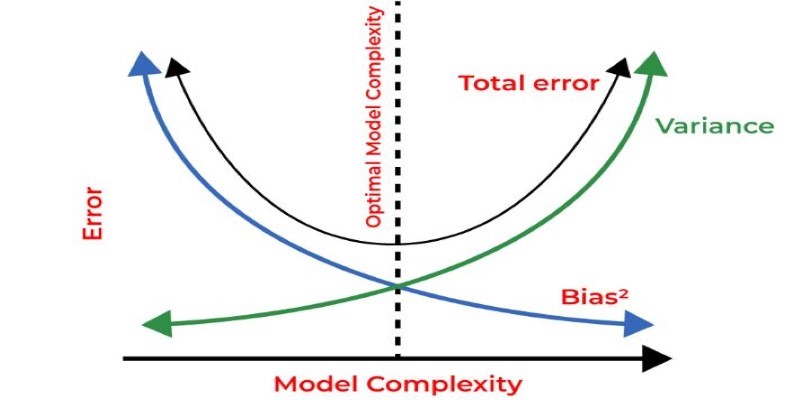
How regularization in machine learning helps prevent overfitting and improves model generalization. Explore techniques like L1, L2, and Elastic Net explained in clear, simple terms

How the semi-humanoid AI service robot is reshaping commercial businesses by improving efficiency, enhancing customer experience, and supporting staff with seamless commercial automation

How the ORDER BY clause in SQL helps organize query results by sorting data using columns, expressions, and aliases. Improve your SQL sorting techniques with this practical guide

Learn everything about Stable Diffusion, a leading AI model for text-to-image generation. Understand how it works, what it can do, and how people are using it today

Llama 3.2 brings local performance and vision support to your device. Faster responses, offline access, and image understanding—all without relying on the cloud

Looking for faster, more reliable builds? Accelerate 1.0.0 uses caching to cut compile times and keep outputs consistent across environments

What Amazon Bedrock is and how AWS’s generative AI service helps businesses access powerful foundation models, customize AI applications, and simplify integration through a single platform
Which data science companies are actually making a difference in 2025? These nine firms are reshaping how businesses use data—making it faster, smarter, and more useful

Discover how AI in the construction industry empowers smarter workflows through Industry 4.0 construction technology advances

What happens when robots can feel with their fingertips? Explore how tactile sensors are giving machines a sense of touch—and why it’s changing everything from factories to healthcare